Register and manage problems
Register problems as text, formulas, or images and organize them by subject, unit, and difficulty.
Everypaper Studio is free during the beta. Sign up, get approved by an admin, and start right away.
The smartest worksheet platform
Everypaper Studio is an app where teachers build and grade worksheets. Collect problems, build a worksheet in a few clicks, grade it with a QR code, and publish it to the student app.
Sign up with Google and start as soon as you are approved.
 Everypaper Studio
Midterm mock, round 1
20 questions · grades 4–6
Graded 3× · avg 72%
Arithmetic drill sheet
16 questions · grade 2
Graded 1× · avg 88%
Weekly test, week 5
25 questions · grades 5–7
Live on the student shelf
What it does
Spend the hours you used to lose building and grading worksheets on teaching instead.
Register problems as text, formulas, or images and organize them by subject, unit, and difficulty.
Upload a photo or PDF and the AI reads the problems into your problem bank.
Pick problems from the bank and get an A4 or B4 worksheet in one or two columns.
Print the worksheet and its OMR answer sheet in a clean layout right away.
Every worksheet gets a QR code. Scan it with the Everypaper grading app and it is graded on the spot.
Group students into classes and see each student's grading history and accuracy.
See grading status per worksheet and per student, plus monthly statistics, shared live with the grading app.
Put your worksheets in the Everypaper student app. The card shows your name and profile as the creator.
Move and resize the solution panel on the solving screen, and reorder problems in the worksheet detail.
Add a video link to a problem and a “Video” button appears next to the solution in the student app. Students can keep the window open while looking at the question.
No paid API key to buy or register. The subscription AI you already use (Claude Code, Codex, Antigravity) runs on your own computer to read the problems.
A gauge shows the remaining quota for each connected AI. When one runs out it switches to the next, so a hit limit is not mistaken for a service problem.
We are building a way for you to earn when students solve the worksheets you publish.
Coming in October
Real screens
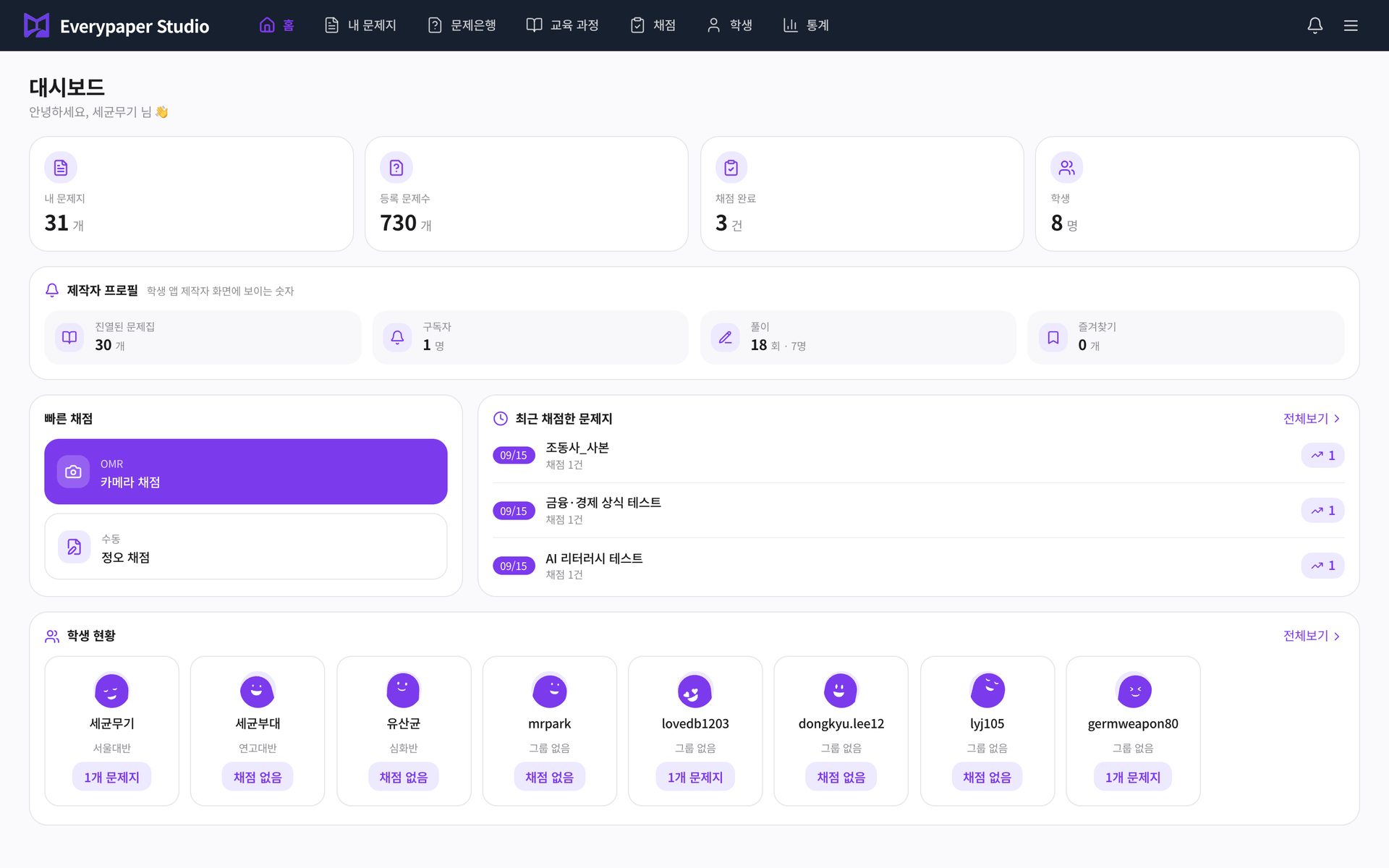
Screens captured from the live service, in order: register problems, build and print a worksheet, then grade it.
Home
Your worksheet, problem and student counts, recent grading results, and the worksheets ready to grade are all on Home.
Linked to the Everypaper student app
Worksheets you publish from Class appear as cards in the Everypaper student app. Students see your name on the card and can browse only the workbooks you made.
Open the student appBuild a worksheet
Pick from the problem bank and add type, subject and tags.
Publish to the student app
Press Publish in workbook management and it appears as a card. Your name and profile show as the creator.
Students solve
Students solve with a pen; wrong answers and study amount are recorded automatically.
See results
Grading records and statistics flow live into the grading app and Class.
Pricing
Every feature is free right now.
Sign up, get approved by an admin, and start right away.
Mobile app
Grading results